 SAMASystem Access &
Remote support for every PC on your network.
SAMA gives your IT team one console to control, fix and monitor Windows PCs: remote control, unattended access, file transfer and admin tools, running entirely on your own network.
- No cloud relay
- Windows 10 & 11
- Active Directory ready
- On-premisesSessions and data stay on your network
- Active DirectoryImport your computers in minutes
- Encrypted credentialsProtected with Windows DPAPI
- Unattended accessReach PCs with nobody at the desk
Everything your help desk does, in one place
Stop switching between remote tools, admin consoles and spreadsheets. SAMA brings the daily work of IT support together.
Remote support
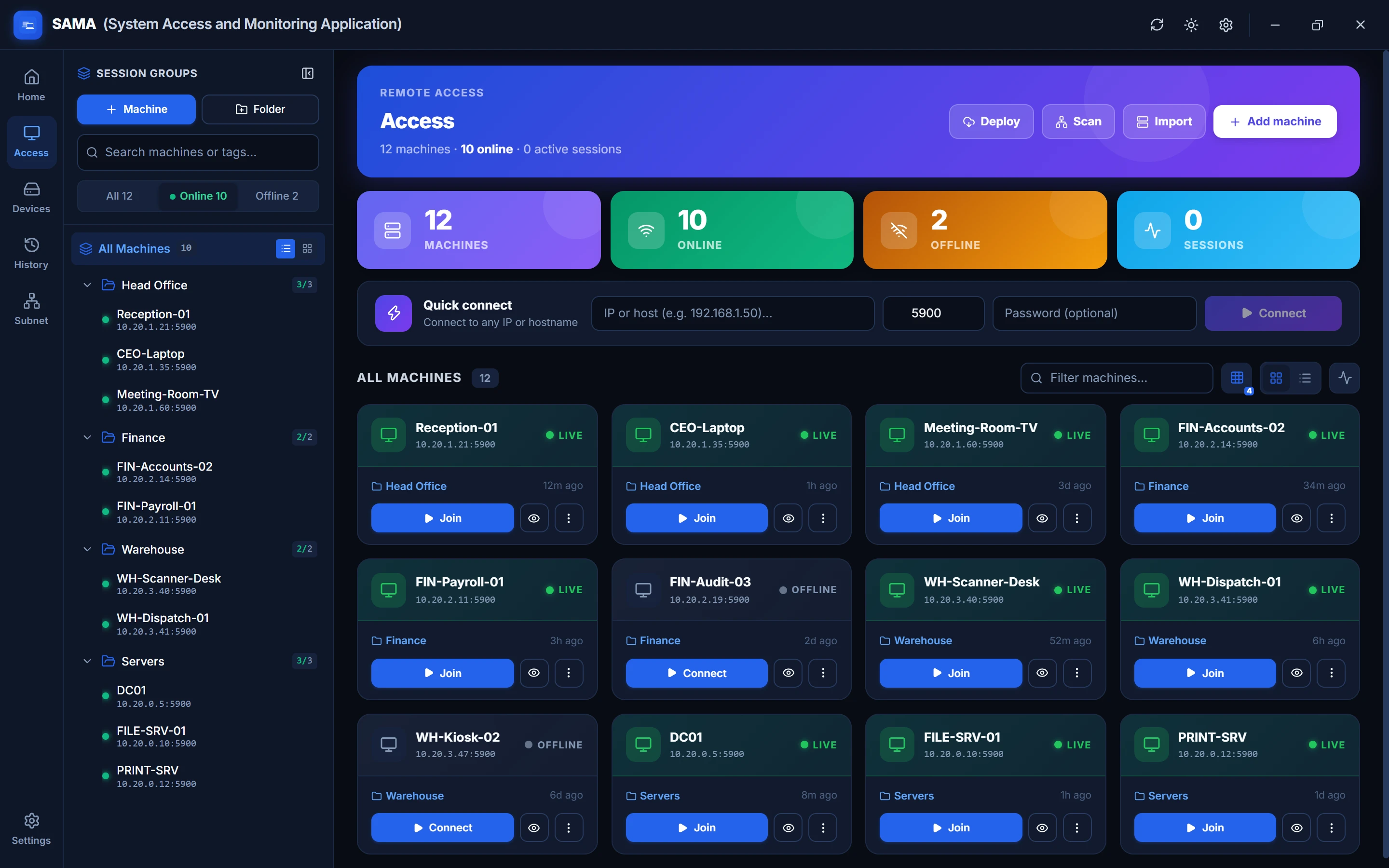
Take control of any workstation in one click, in tabs or pop-out windows, one monitor at a time.
Learn morePrivate sessions
Curtain Mode hides your work from people at the PC, and Input Lock pauses their keyboard and mouse.
Learn moreFleet management
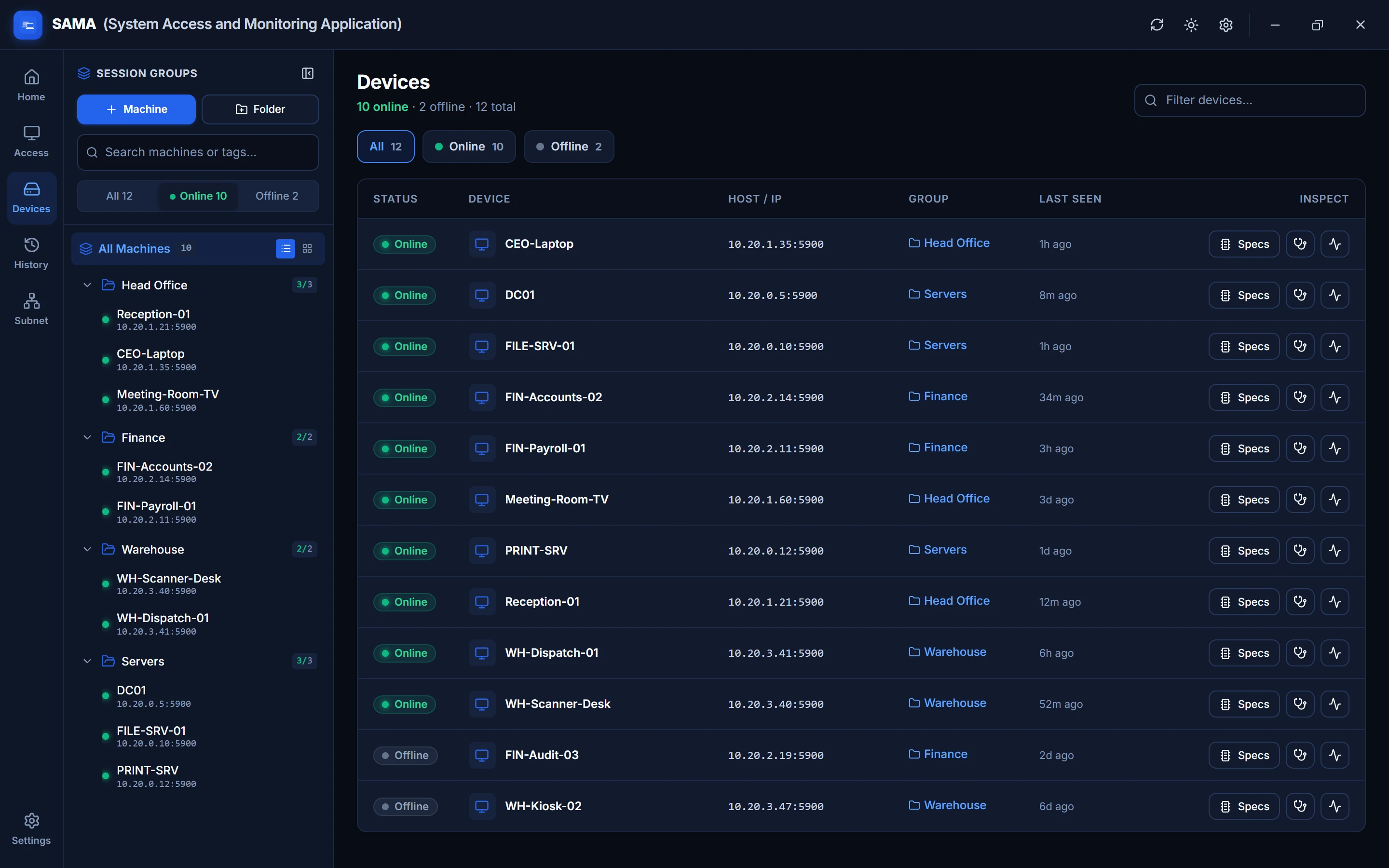
Import PCs from Active Directory, a spreadsheet or a subnet scan, and see who's online at a glance.
Learn moreAdmin tools
Processes, services, PowerShell, hardware specs and PC health, without disturbing the user.
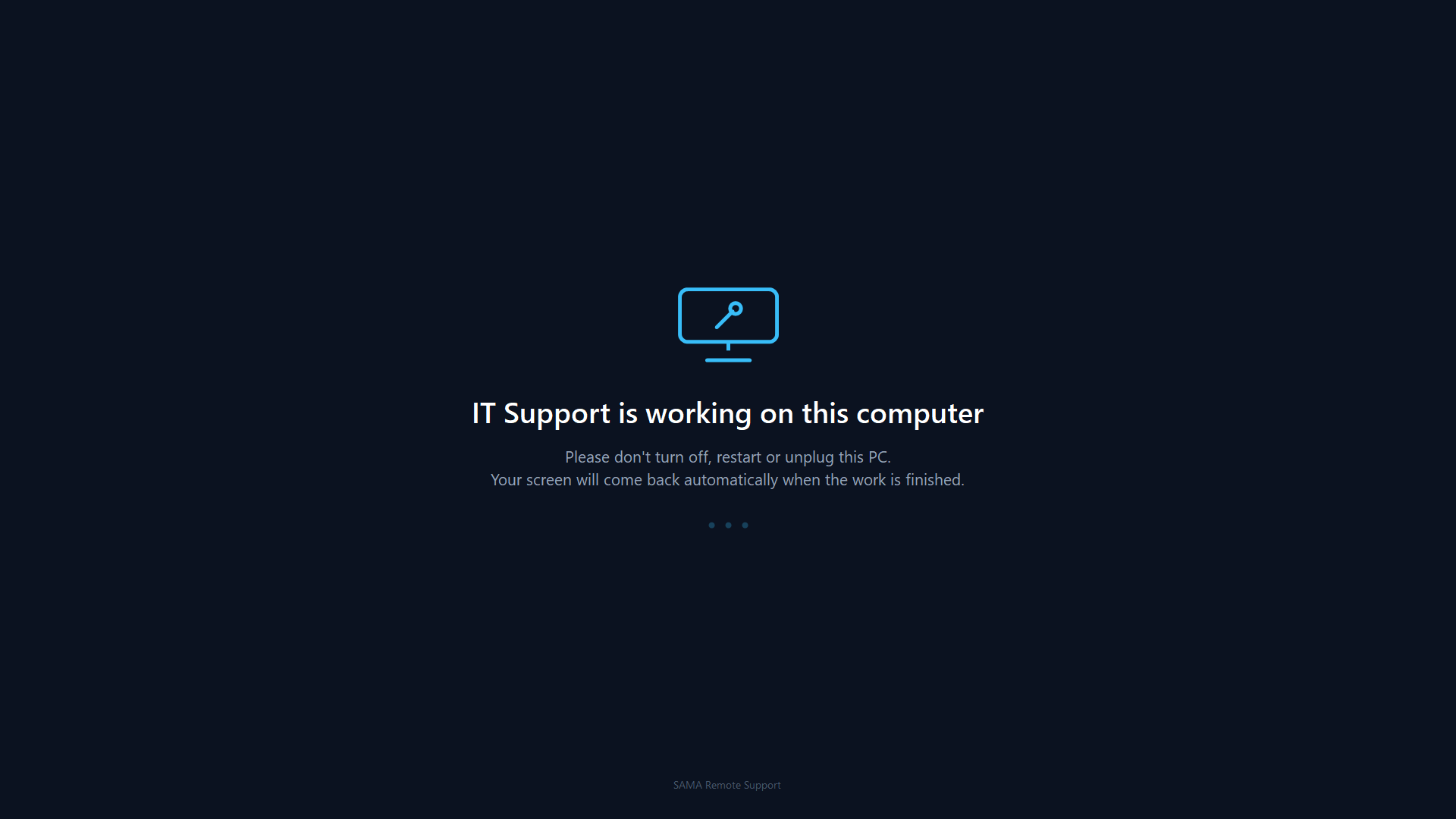
Learn moreThey see a message. You see the desktop.
Fix payroll, reset passwords or install software in an open office without anyone watching over your shoulder.
- Every monitor covered. A calm "IT Support is working" screen appears at the PC.
- You keep working. Your view stays on the real desktop, with full control.
- Never locks the PC. And it lifts itself if your connection drops.
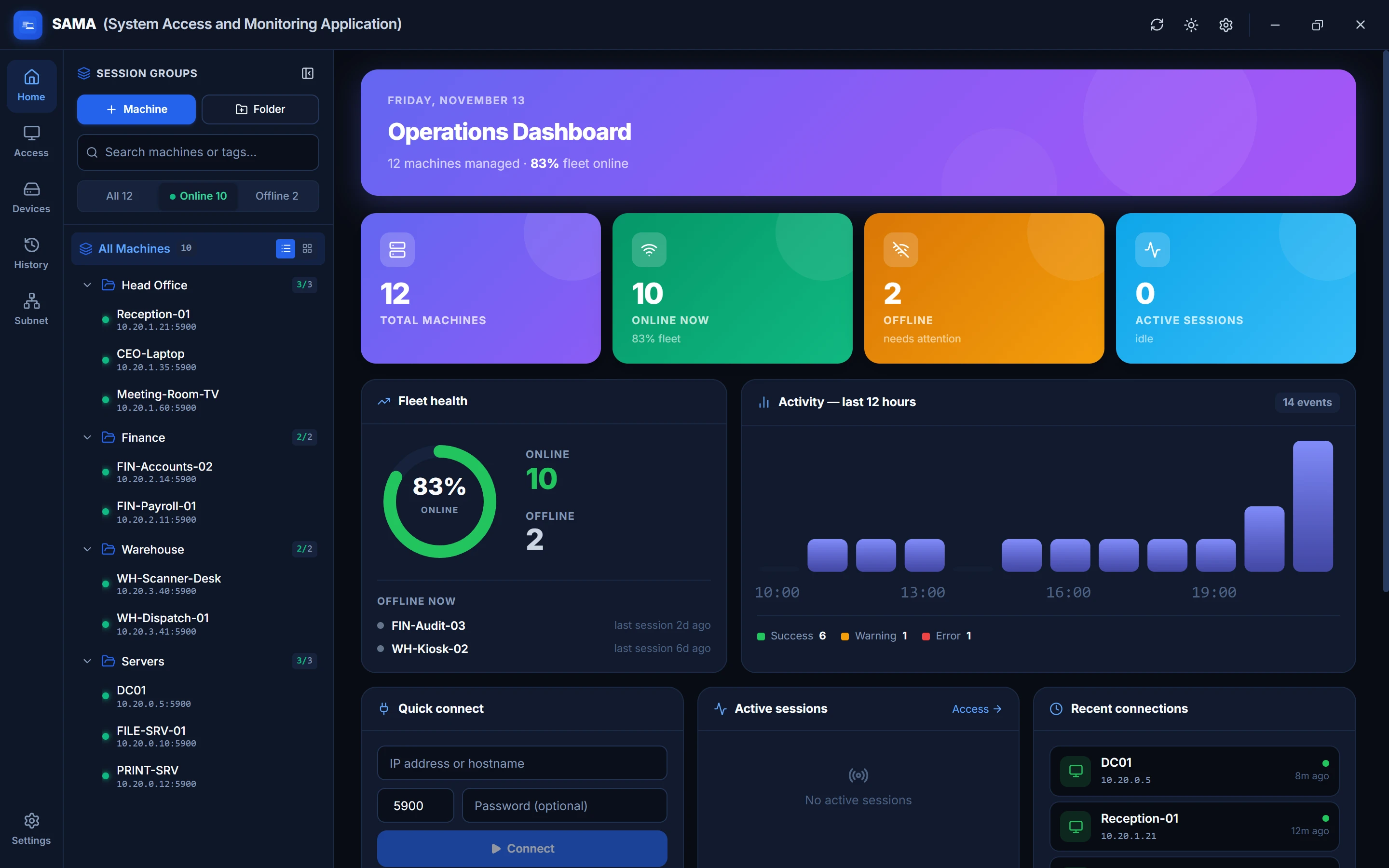
Know the state of every PC before the phone rings
A live dashboard shows what's online, what needs attention and what your team did today.
- Live status for every machine, grouped into folders your way.
- Import in minutes from Active Directory, CSV or a subnet scan.
- Full session history with start, end and duration for every connection.
Fix problems without interrupting anyone
Many fixes don't need a screen at all. Work in the background while the user carries on.
- Processes and services. See what's running, end it, start or restart it.
- Drag-and-drop files. Delivered to the user's real Desktop and confirmed at full size.
- Hardware and health. CPU, memory, disks and installed software on demand.
Your network. Your data. No middleman.
Cloud remote tools route every session through someone else's servers. SAMA connects your technicians straight to your PCs, so sessions, passwords and history stay inside your walls.
Up and running in an afternoon
Install SAMA
Run the installer on your technician's PC. No server to set up and no account to create.
Add your PCs
Import from Active Directory or a spreadsheet, scan a subnet, or add machines one by one.
Connect and support
Click Connect. Roll out the small SAMA agent for Curtain Mode, file transfer and admin tools.
A plan for every size of network
Every plan includes the complete product. Plans differ by how many PCs you manage and the support you get.
Ready to support your network faster?
Download SAMA today, or talk to us about licensing for your organisation.